In VertiGIS Inline, a data source is the web map layer associated with a chart. Typically, every chart will have its own unique data source.
Before you can add a chart to a view, you must add the related data source to the view's Data Sources panel. The new data source is automatically added to the Data Source drop-down list on the Chart Options panel.
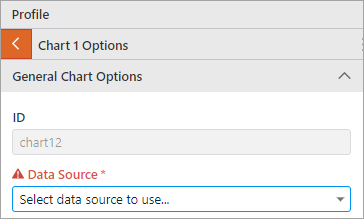
When you create your first view, the Data Source drop-down list on the Chart Options panel will only contain the data source for the default Points of Interest band.
When adding a data source to a view, you can:
•Import a data source from views you have saved previously
•Add a token to your data source configuration. Tokens allow for the dynamic replacement of data source field values at runtime.
There is no limit to the number of data sources you can add to a view.
