When you delete an app, by default, all the versions of the app and associated copies of web maps are irrevocably deleted, including the Production, Staging, Testing and Development versions. A confirmation dialog will appear, allowing you to select which parts to delete.
To delete an app:
1.On the taskbar, click File > Delete.
2.Click the app you want to delete.
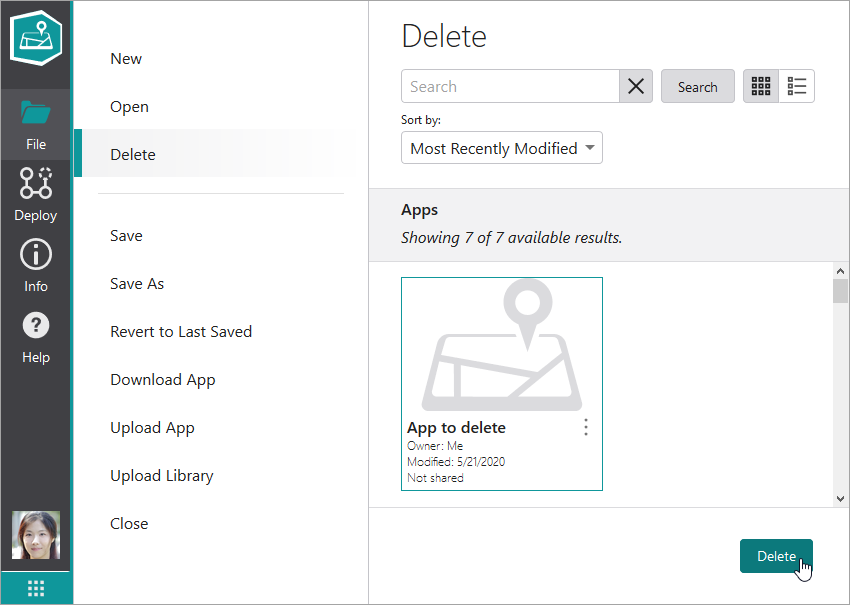
If you are unable to find the app you want, type the name of it into the Search box and click Search.
3.Click Delete.
Alternatively, you can click the three-dot menu beside the app you want to delete and then click Delete, which is also possible from the dashboard  .
.
A confirmation dialog appears.
4.Carefully select the items you want to delete.
Be especially careful about deleting workflows, as these items may be used in other apps. For this reason, they are not selected by default.
5.Click Delete # items.
All selected items are irrevocably deleted.
