You can replace the app that is in the Development stage and overwrite it with the one that is currently in either Testing, Staging or Production stage.
Once you have replaced the Development app and saved it, there is no way to return to the original Development app. You may want to Download App Configuration of the Development app before you replace it, so that you can return to the original configuration should you need to.
To replace the Development stage app with one from another stage:
1.Click Deploy in the taskbar and then click the three-dot menu icon beside Development.
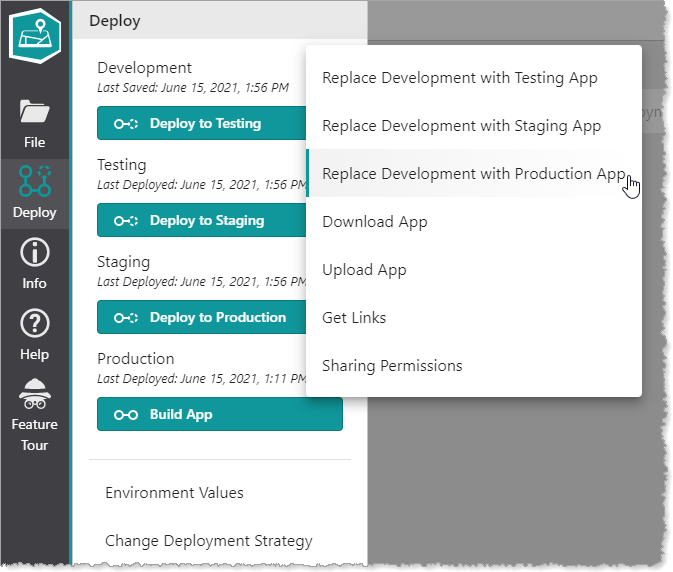
2.In the menu, select to replace the Development app with either the Testing, Staging or Production version.
The Deployment Summary window opens with a list of the changes that will be made to the Development app for Configurable Items, Environment Values and referenced web maps.
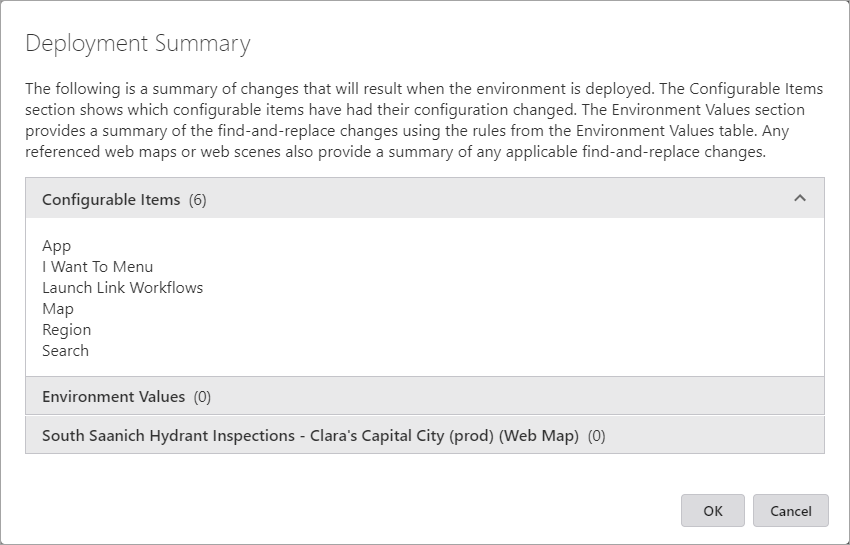
3.Click OK to implement the changes.
4.Save the new version of the Development app.
5.If you want to keep the changes to the development app, click File > Save.
