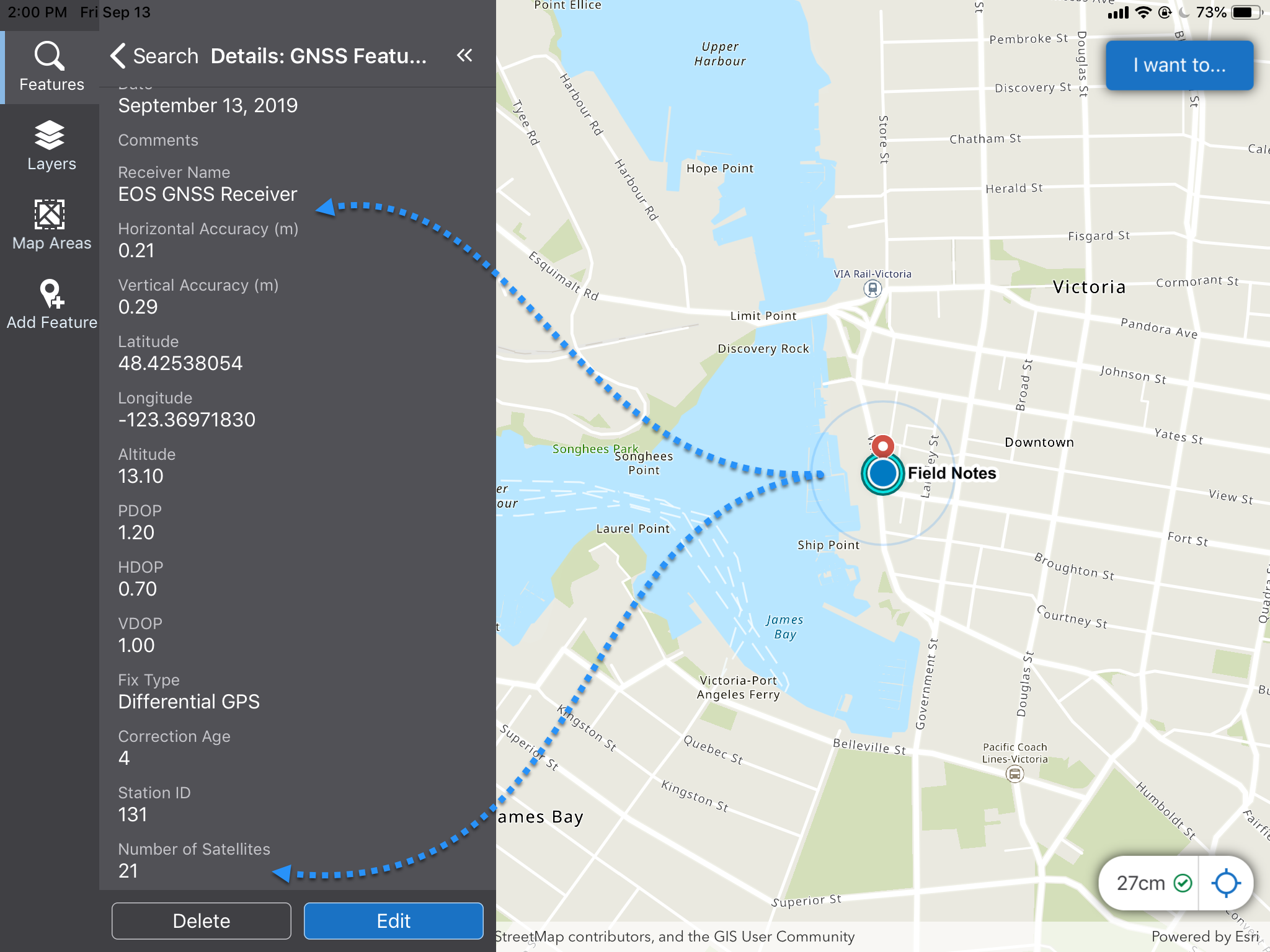
If you have a high-precision Global Navigation Satellite System (GNSS) receiver paired to your device, you can use it to get very accurate location readings.
For information on how to configure a Mobile app for GNSS, see Configure High-Precision GNSS in the VertiGIS Studio Mobile Designer Help.
Before you begin, check the Bluetooth setting of your device to ensure that it is connected to the GNSS Receiver you are using.
Currently supported GNSS devices include the following:
•EOS Arrow devices
•Leica Zeno FLX100 plus and GG04
•Trimble R1 and R2
•Bad Elf Bluetooth GPS devices
To use a high-precision GNSS Receiver:
1.In the bottom right corner of the app, click the accuracy indicator.
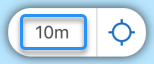
The current receiver window opens and displays information about the integrated GPS receiver in your device.
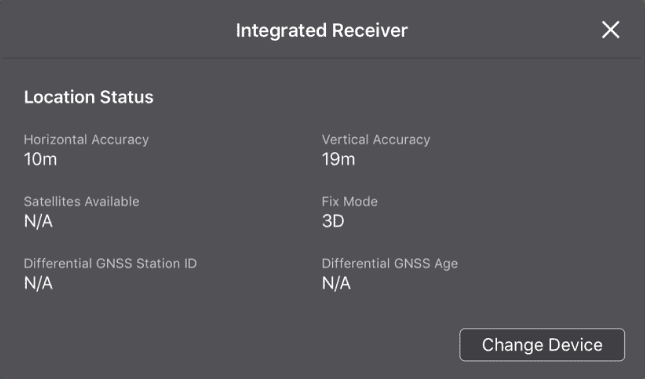
2.Click Change Device.
The Select Source window opens and lists the receivers that are paired with your device and the receiver that is currently selected.
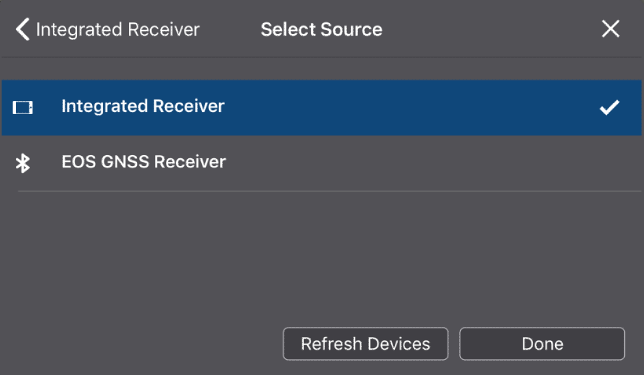
3.Select the GNSS receiver, and then click Done.
The information in the window updates to show settings you can define for the receiver.
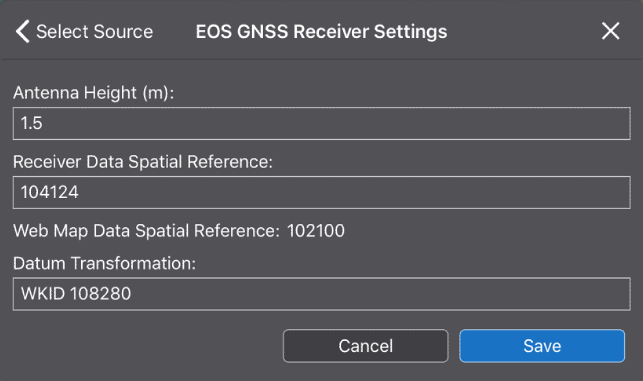
4.If the altitude of your position is important, in the Antenna Height box, enter the distance from the ground to the receiver's antenna.
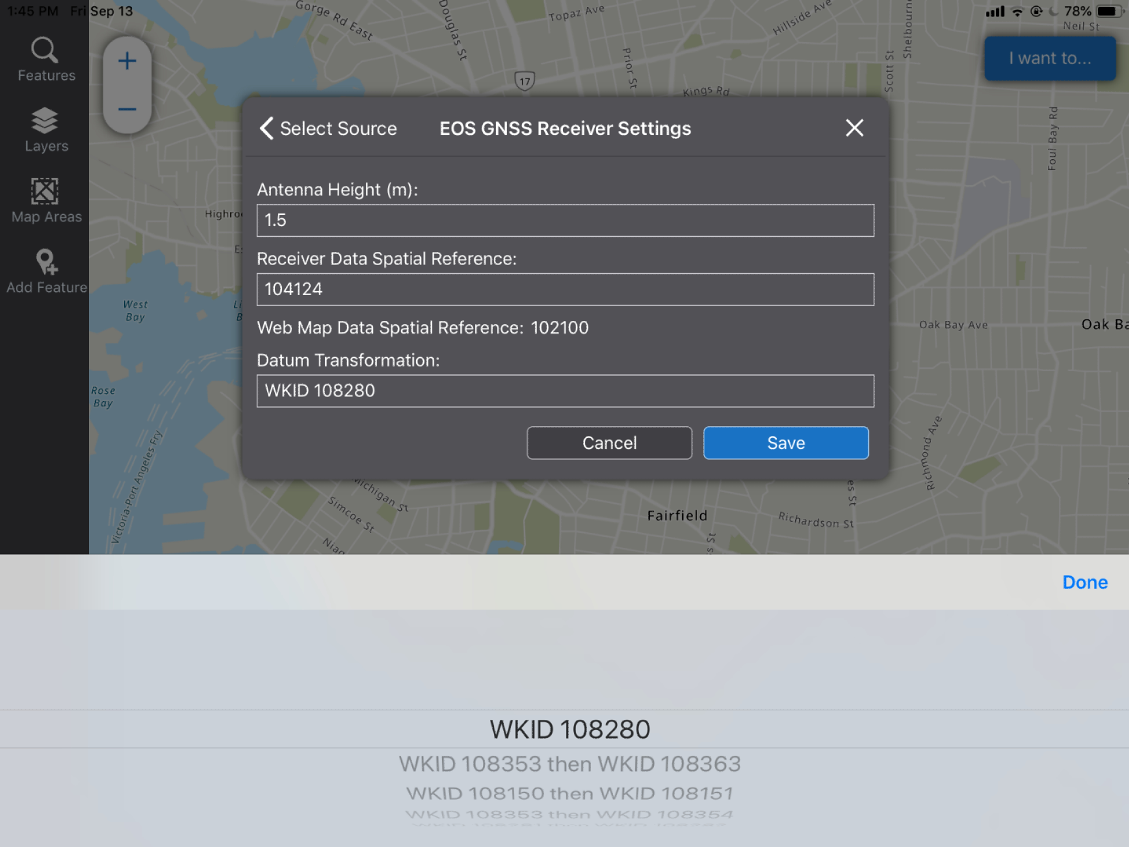
5.If the Receiver Data Spatial Reference and the Web Map Data Reference show different numbers, you will need to use a Datum Transformation to transform the Receiver spatial reference into one that the Web Map will recognize. Any of the Datum Transformations in the drop-down list will perform the transformation that is needed.
6.When the WKID list appears, select the transformation you want, and then click Done.
The information in the Receiver window updates to show detailed information about your location from the GNSS Receiver.
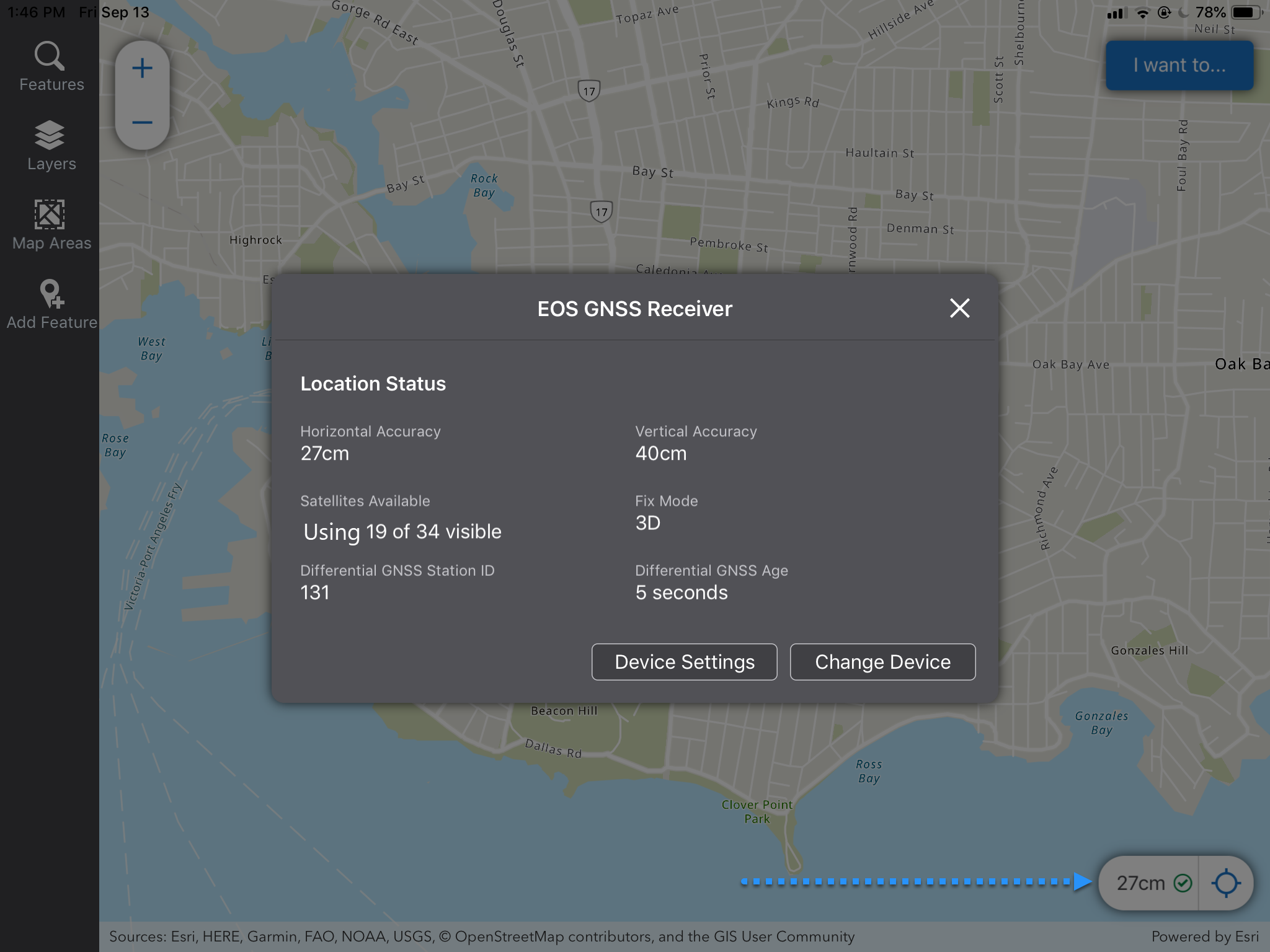
In the example above, the accuracy indicator in the bottom right corner indicates an accuracy of 27 centimeters where before it was 10 meters.
When you click on the map, it gives detailed and accurate information about the location.