If you are running an older version of VertiGIS Studio Go or an older custom Mobile app on a device, it's possible for you to experience version compatibility issues. When there is a version compatibility issue, you will see the following warning icon on apps listed in the VertiGIS Studio Go selector screen:

Scenario 1 - Older Version of VertiGIS Studio Go
The field crew have an older version of VertiGIS Studio Go installed on their devices. The administrator uses a newer version of Mobile Designer to build an app. When the field crew tries to open the new app, they get the warning icon.
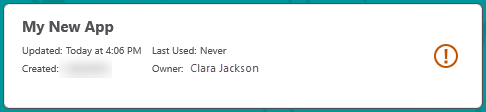
When they try to open the app, they get the following error message:

Solution: Install the latest version of VertiGIS Studio Go on all the field workers' devices.
Scenario 2 - Older Custom App - Newer Mobile Designer
You make changes in Mobile Designer but they do not appear in the custom app on the device.
If the custom Mobile app on your device, is at an older version than Mobile Designer, you won't be able to apply new updates to your Custom App's configuration using Mobile Designer. When the app checks its version and finds it to be out of date, it defaults to the configuration from the last compatible version of Mobile Designer that it received. Changes from the current Mobile Designer will be ignored until you have updated the Custom App.
Solution: Update the Custom Mobile app installation on the device. How you update the Custom Mobile app depends on how you distributed the app to the device.
Scenario 3 - An Un-versioned App Created during Beta
You have an un-versioned app created before or during beta. When you try to open it in VertiGIS Studio Go, you see the following warning:
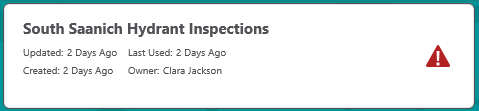
Having an un-versioned app is very unlikely to happen.
Solution: The administrator must open the app in the latest version of Mobile Designer and then re-save it.
