Please enable JavaScript to view this site.

Version:

Navigation: Work with Bands

Edit a Band

Prev Top Next More

To edit a band, follow these steps:

1.In the View panel, the Bands section lists all of the bands configured for the view. Click a band name to open the Band Options panel.
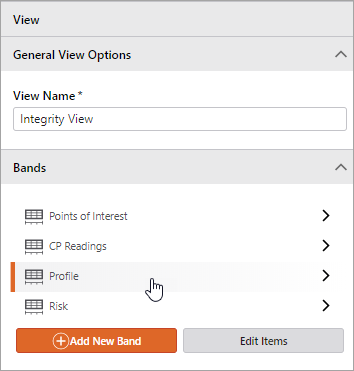
bands-edit

2.To edit the band options, follow the steps outlined in the following sections:

General Band Options

Charts

Tooltip Container Configuration

Y-Axis Options

Actions


© 2026 VertiGIS North America Ltd. All Rights Reserved. | Privacy Center | Imprint
Documentation Version 2.9 (31106c92)