You can add a layout to your app at any time.
To add a layout:
1.While editing your app in Mobile Designer, click the add button ( ) beside the current layout tab.
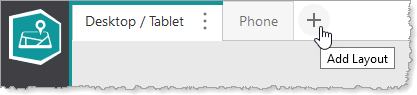
The Add New Layout window appears.
2.In the Title box, type a new title for the layout.
3.Select one of the following options:
•Copy current layout: The new layout will be a copy of the current layout.
•New blank layout: The new layout will be blank.
4.Click Add.
The new layout is added and becomes the current layout being edited.
5.Click File > Save.
