You can rename a layout of your app at any time.
To rename a layout:
While editing your app in Mobile Designer, select the tab of the layout you want to rename.
1.Click the three-dot menu beside the layout tab.
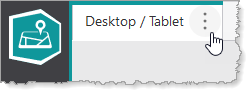
The layout tab menu appears.
2.In the layout tab menu, click Layout Settings.
The Layout Settings dialog appears.
3.In the Title box, type a new title for the layout and click Apply.
The layout is renamed.
4.Click File > Save.
