For a high-level description of the process to create a VertiGIS Studio Mobile app, see Overview of the App Creation Process.
A new Mobile app is always based on either the Mobile Default template or other existing Mobile apps. You can use the whole template or app but you can also import a single component from the template or existing app. The flexibility to quickly use and adapt existing components makes creating an app relatively quick and easy.
To create a app:
1.In the Mobile Designer taskbar, click File > New.
The New panel appears.
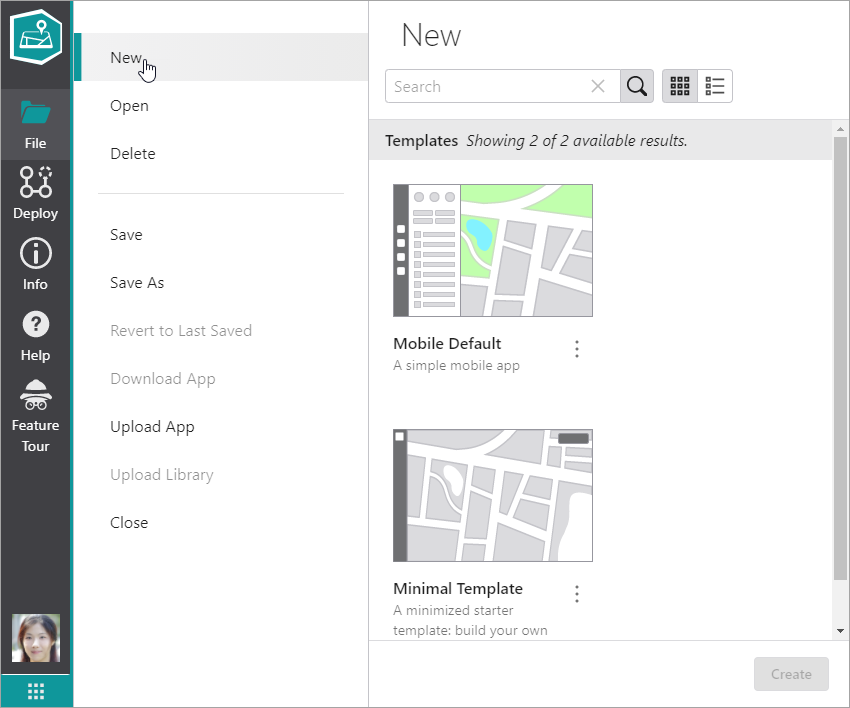
2.Select the template you want to use and click Create.
The Components panel displays all the components you can configure.
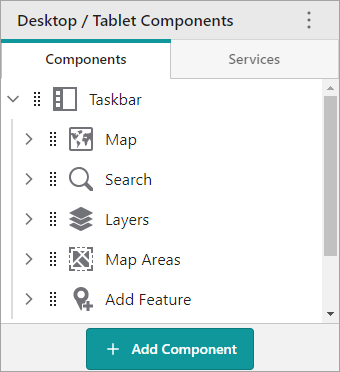
3.Click any component in the list to configure that part of the app.
4.To save all configuration changes, click File > Save As.
5.In the Title box, type in a title for your new app, and then click Save.
The map is saved to either ArcGIS Online or Portal for ArcGIS.
