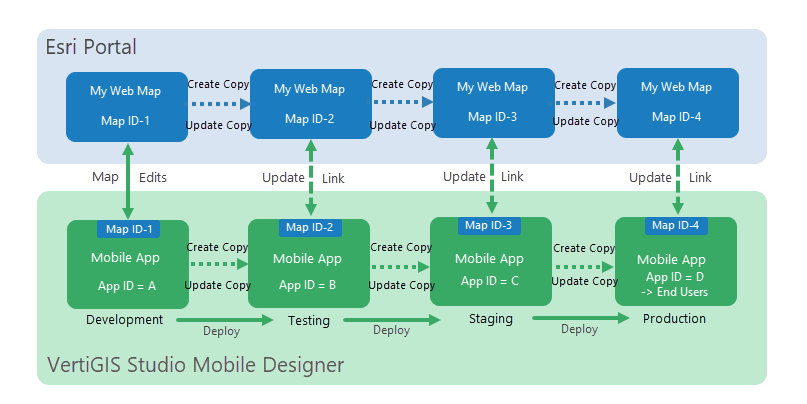
As you move your Mobile app through different deployment stages within the Mobile Designer, a copy of its web map is created and given a new ID in the Esri portal. The stage that the map is in is added to the name of the web map, for example, My Mobile Map (test). At the same time, a copy of the Web Application you are creating is also saved in the portal and labelled with the stage it is at, for example, My Mobile App (test).
Once an app reaches the Production stage, it's given a unique and permanent ID that stays with the app from that point onwards. This is the ID that is shared with end users. The web map and the app have (prod) added to the name in the portal.