This procedure is only necessary if your administrator has not configured the MMPK source to automatically prompt end users to download MMPK files when starting an app.
If configured to do so, VertiGIS Studio Mobile apps support using a Mobile Map Package (MMPK) while offline. Users can sideload MMPK files onto Windows, Android and iOS devices. MMPKs are sideloaded onto mobile devices using the file system in the case of Windows or Android, or via iTunes in the case of iOS.
Your organization may have other ways to copy files to your device.
It is essential that users add the MMPK file to the correct folder on each type of device because Mobile apps look for MMPKs in those specific folders.
Windows Devices
Use the file manager on a computer to transfer the MMPK to the following folder on the device:
%userprofile%\AppData\Local\Packages\[GeocortexMobileViewerAppName]\LocalState
Android Devices
Use the file manager on the computer to transfer the MMPK to the following equivalent folder on the device:
[Root Path]/Android/data/geocortex.mobile.viewer.custom/files
On Android devices, the first part of this path varies according to the device.
iOS Devices
To sideload a file onto an iOS device:
1.Open iTunes.
2.Plug the device into a computer, and then in iTunes click the device icon in the top left corner.
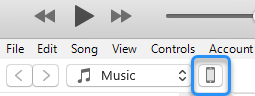
The panel on the left displays the Settings for the device.
3.Click File Sharing, and then click one of the following:
▪For VertiGIS Studio Go, click VertiGIS Studio Go in the Apps box.
A list of the VertiGIS Studio Go Documents displays in the right-hand box.
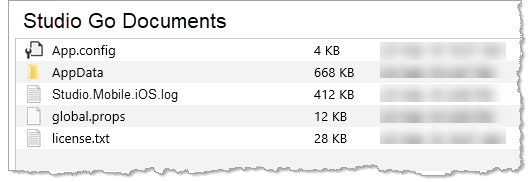
▪For Custom apps, click the [app name] in the Apps box.
A list documents for your custom app displays.
4.From your file system, drag the .mmpk file and drop it into the Documents box.
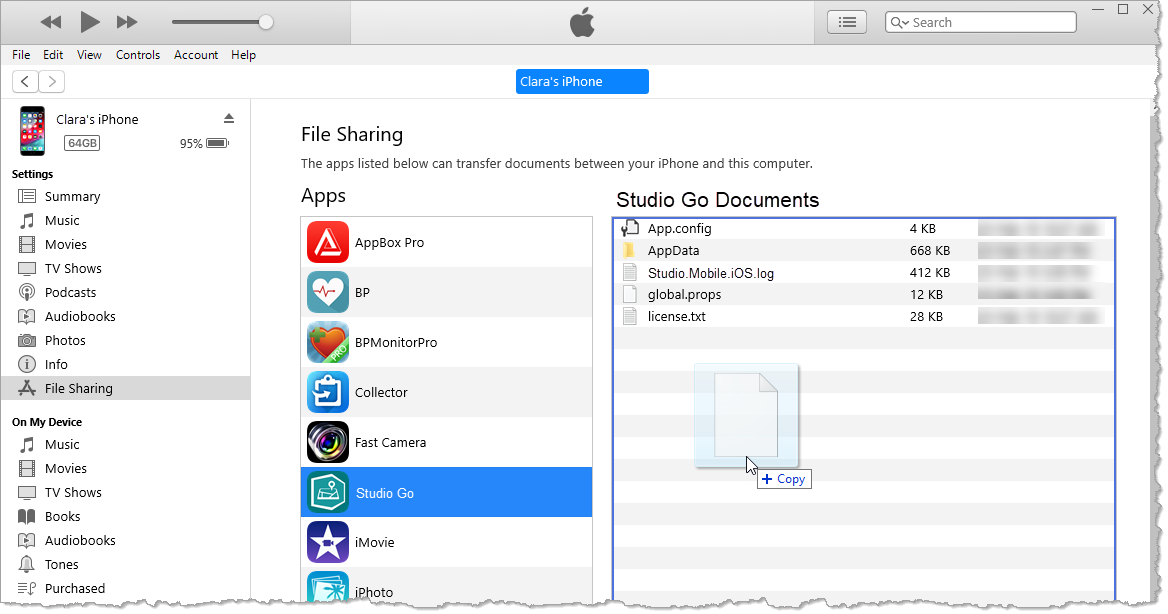
The status bar at the top of the window indicates that iTunes is copying the MMPK file to the device.
Once the file is copied, it appears in the list of Documents.
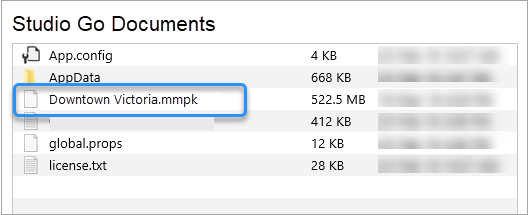
The MMPK is now sideloaded onto the device.
