If you plan to use a high-precision receiver with a Mobile app, you will need to ensure that you have the following preparations complete:
2.Enable GNSS on a feature layer.
Prepare your Receiver
Any high-precision receiver you plan to use must be configured to output National Marine Electronics Association (NMEA) sentences and to work with the corrections services that you plan to use, for example, Satellite-based Augmentation System (SBAS). Most devices will only let you pick the NMEA sentences that correspond to your device and situation, but other receivers are designed to work with many types of devices and they can be configured in a variety of different ways. You will need to ensure that all the devices you plan to use, can pair with your receiver.
You also need to ensure that the communication channels you are using, for example, USB, serial port, or Bluetooth, work between the receiver and the devices you will be using.
Enable GNSS on a Feature Layer
High accuracy latitude and longitude information is automatically gathered when a GNSS receiver is connected. However, if you wish to gather detailed GNSS metadata, you need to create or edit a web map so that contains the required field names for the metadat. When a web map has these fields available, and a GNSS receiver is connected, Mobile apps will populate those fields and the information will be available in the metadata view.
The instructions below indicate an easy method of adding the GNSS metadata fields to a web map in ArcGIS Online or Portal for ArcGIS.
In the Portal that you use, create a feature layer that includes a points layer. Only points layers capture and retain the metadata that GNSS receivers make available. Ensure that you select the Capture GPS receiver information option when you create the feature layer. Selecting this option creates the fields on the points layer that will contain the metadata collected by the GNSS receiver.
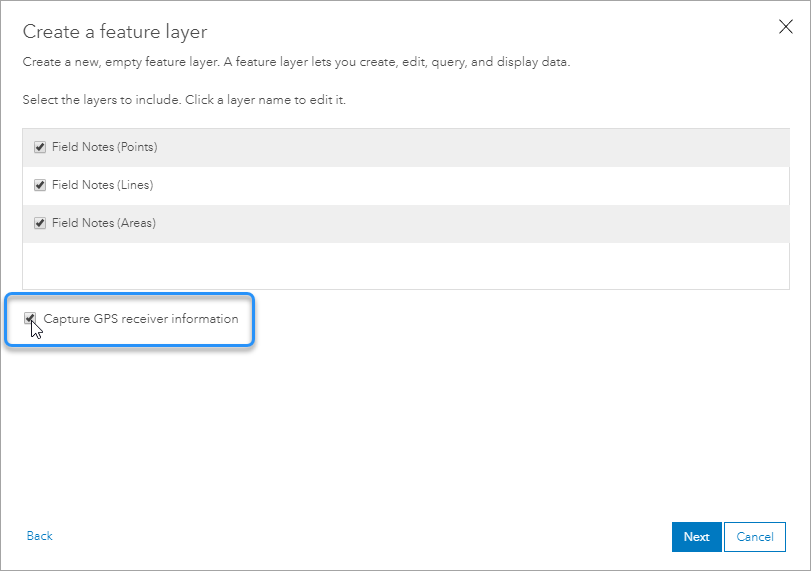
The Capture GPS receiver option in ArcGIS Online
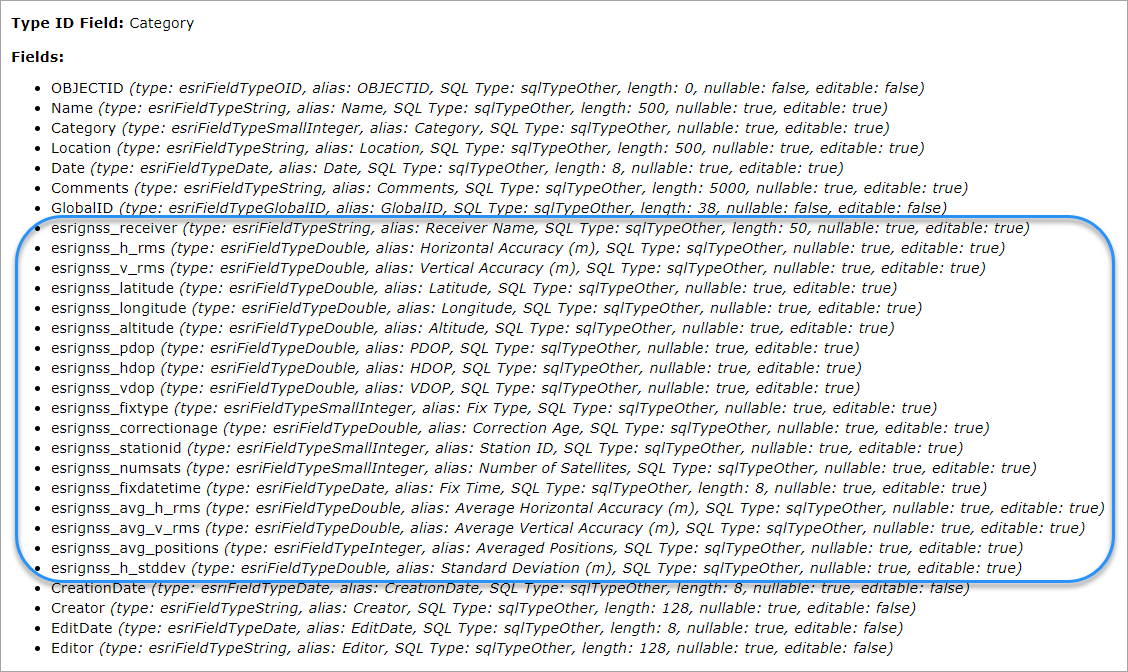
The GPS-Points layer showing the fields added when the Capture GPS receiver option is selected
Pair Devices with Receivers
The process for pairing each device to the receivers you plan to use will be different. In many cases, you will pair them using Bluetooth. You will need to pair each device you plan to use in the field to a receiver. Some receivers can be paired with multiple devices.
