VertiGIS Studio periodically releases updates to on-premises Printing that include new features and other improvements to the software. To update Printing, run the new installer.
See this Support article for more information.
To update an on-premises installation of VertiGIS Studio Printing:
1.Download the installer.
2.Run the installer.
The installer detects your existing installation and prompts you to update.
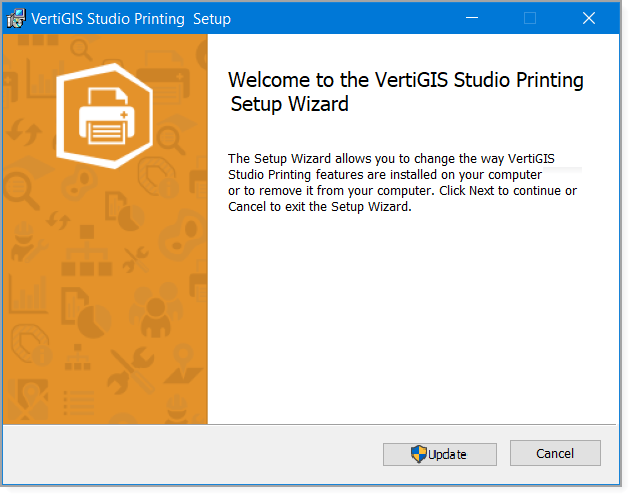
3.Click Update.
4.When the update completes, clear the Launch VertiGIS Studio Printing Post Installer checkbox.
Updating does not affect the existing configuration. You do not need to run the Post Installer after updating, unless you want to change the configuration.
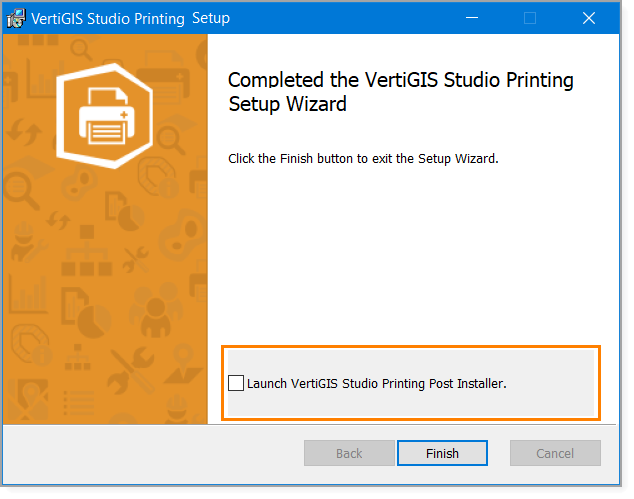
5.Click Finish.
You have completed updating your on-premises installation.
