When creating a new Search configuration, choose VertiGIS Studio Web. This opens a popup dialog. Note that the link to the Web Designer is a standard link and may not be valid for your installation.
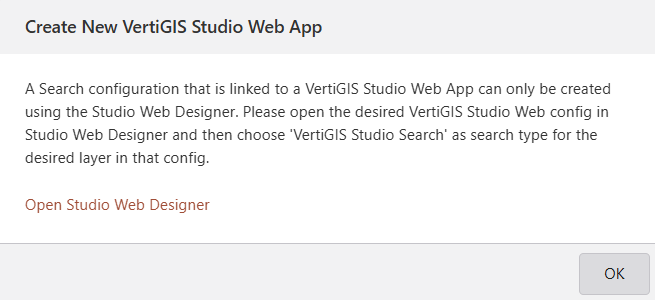
Integrate Studio Search into Studio Web (preferred method):
1.Open the Studio Web Designer.
2.In Services tab > Search item, add the Studio Search URL.
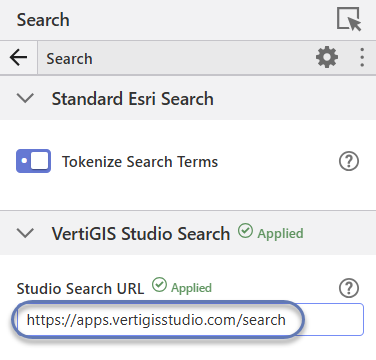
Available URLs:
▪ VertiGIS Studio SaaS offering, region Europe - https://apps.vertigisstudio.eu/search
▪ VertiGIS Studio SaaS offering, region North America - https://apps.vertigisstudio.com/search
▪ URL of on-premises installation - You must know the specific URL for your installation.
▪ no URL - Studio Search is not available.
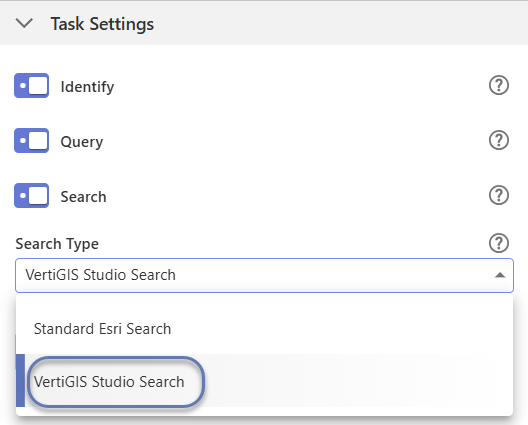
3.In Components tab > Map > Layer Extensions, expand a layer.
4.In Task Settings, choose VertiGIS Studio Search from the Search Type dropdown. After a few seconds, a Verified message appears.
5.Once a search configuration has been created, detailed settings can be configured in the Studio Search Designer.