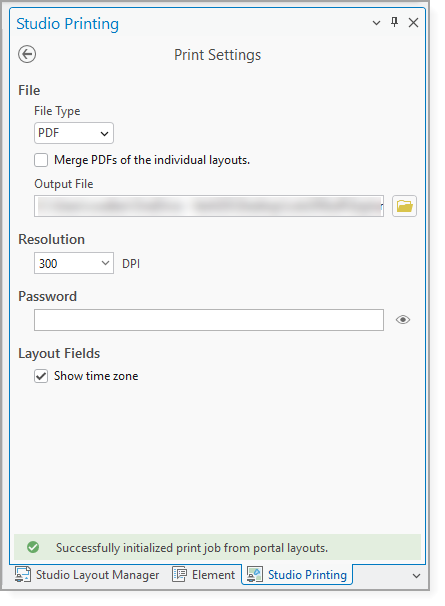
The Print Settings are accessible via the Printing dockpane.
Setting |
Description |
File Type |
Specifies the format used for the print output. |
Merge PDFs of the individual layouts |
When enabled, all generated layout PDFs are combined into a single PDF file. When disabled, a separate PDF is created for each layout. |
Output File |
The destination path and filename for the generated output. |
Resolution |
Sets the output quality of the print content. |
Password |
Applies password protection to the generated PDF. |
Show time zone |
When enabled, a timestamp with the time zone is added to the print output. For example, 08.11.1994 15:00 CET+0100. When disabled, only a timestamp is added to the print output. For example, 08.11.1994 15:00. |