Open the Catalog Schema Repository via the Studio Toolkit ribbon in the Projects group.
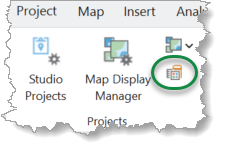
This opens the Catalog Schemas dialog that lets the user enter catalog schemas.
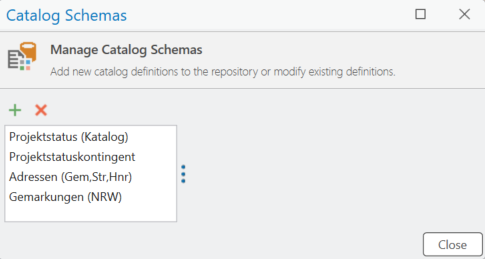
The list shows all available catalog schemas. Click X to remove a selected schema from the repository.
Add new Catalog Schema
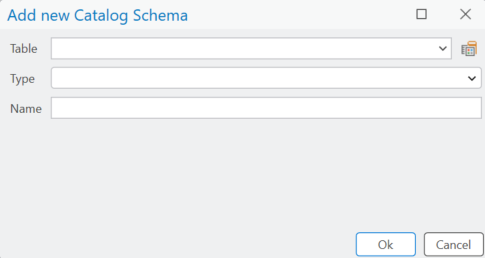
Click + to add a new schema. The Add new Catalog Schema dialog allows you to specify the schema Table, Type, and Name.
Domain Table Schema
If a schema for a domain catalog table has been selected or created, the right side of the dialog allows you to edit the schema.
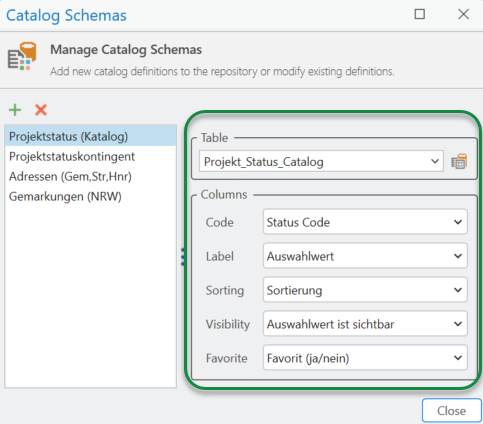
The Table dropdown refers to the table selected for the domain catalog.
The following Column definitions can be set:
Setting |
Remarks |
|---|---|
Code |
This setting refers to the name of the column that will be used as the data column for this catalog. A data column contains the codes or values for the current domain. This is a mandatory setting. |
Label |
This setting refers to the name of the column that contains the title or label for a specific code. This is an optional setting. |
Sorting |
This setting refers to the name of the column that contains the sort order for a specific code. This is an optional setting. |
Visibility |
This setting refers to the name of column, that contains informations about visibility or historization for a specific code. This is an optional setting. If a visibility column is defined, specific entries can be set to 1, this means, that those entries cannot be selected from this domain, but existing entries will be maintained. |
Favorite |
This setting refers to the name of column, that contains information if a specific code is handled being a favorite. This is an optional setting. |
Contingent Table Schema
If a Contingent Table Schema is added to the repository, the following editor dialog is provided:
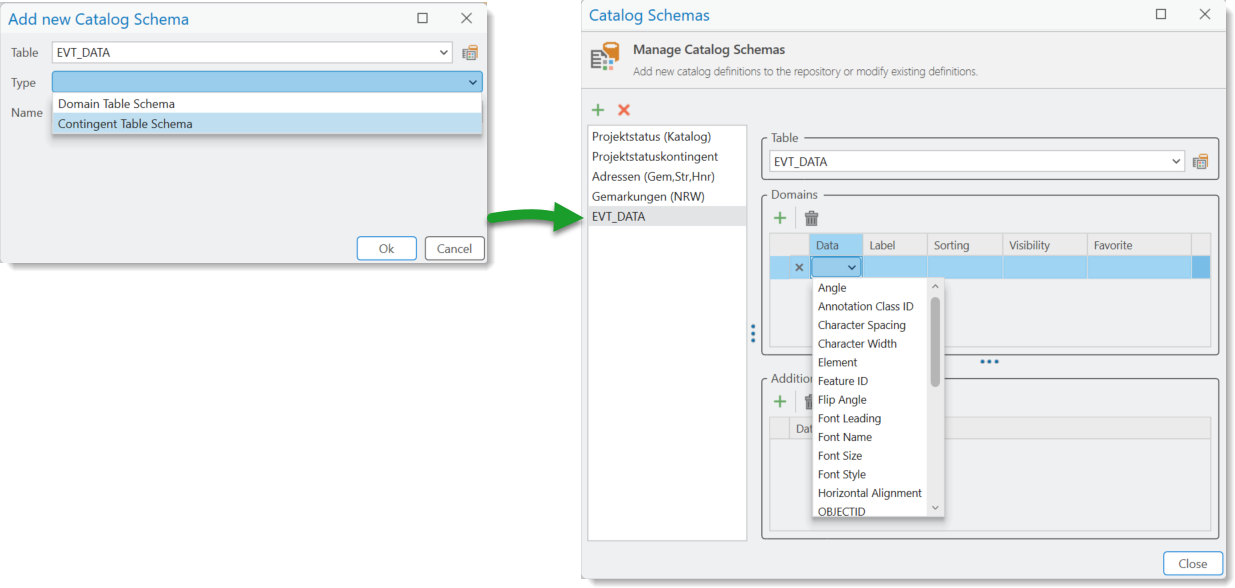
Enclosed Domains
At the upper part of the dialog the corresponding contingent table is defined. A contingent table refers to a set of domains that are modeled as separate columns at the contingent table. The Domains group box contains a list of domains that can be set.
The order of domains in the list specifies the hierarchical view of the target multi-stage catalog.
For every domain, an additional set of columns can be defined:
•Data - refers to the column that contains the data. This is usually the Catalog Value.
•Label - refers to the column that contains the display name for the Catalog Value as defined by the data column. This is an optional setting. If no label columns has been set, the value from the data column is used for rendering.
•Sorting - refers to the column that contains the sort criterion for the current level. This is an optional setting: If no sort order is given, the 'natural' sort order is used, this is either an alphanumerical order, if a label column is defined, or a sort order that is appropriate for the data type of the data column.
The Sort Order column can be reused on every domain level in the contingent catalog. Which means that a single Sort Order column in the catalog table is sufficient.
•Visibility - refers to the column that sets the visibility of the current catalog at runtime.
The Visibility column can be reused on every domain level in the contingent catalog. Which means that a single Visibility column in the catalog table is sufficient.
•Favorite - refers to the column that indicates whether a node is a favorite or not. Nodes that are declared as Favorites appear on more prominent location in the user interface. This is an optional setting.
The Favorites column can be reused on every domain level in the contingent catalog. Which means that a single Favorites column in the catalog table is sufficient.
For more information about designing a contingent table see