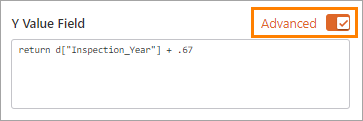
Some of the Inline Designer configuration panels include an Advanced option. Enabling this option allows you to configure an Arcade script that is invoked at runtime, when the view is loaded in an app.
Typically, the script returns a value from the data source and/or calculates a value, and then uses that value to set a configuration option or run an action.
For more on Arcade scripts, see the ArcGIS documentation.
Arcade Scripts
When constructing and using Arcade scripts in the Inline Designer, you can use the following features specific to VertiGIS Studio Inline:
▪data context functions
▪getChartReplacementToken functions
Data Context Functions
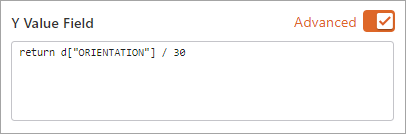
To retrieve and work with attribute values for the current feature—the feature in context when the function is invoked, you can use the data context (d) function.
The syntax for retrieving an attribute value from the current feature using the d function is as follows:
d["<attributename>"]
For example:
getChartReplacementToken Functions
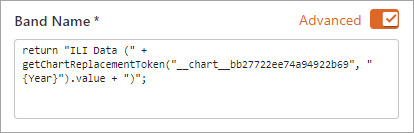
To retrieve the current value of a replacement token configured in the data source for a given chart, you can use the getChartReplacementToken function.
The syntax to retrieve the current value of a replacement token in a specific chart is as follows:
getChartReplacementToken(“<chartId>”, “<token>”)
For example:
For details on adding tokens to a data source, see Adding Tokens.
Arcade Script Examples
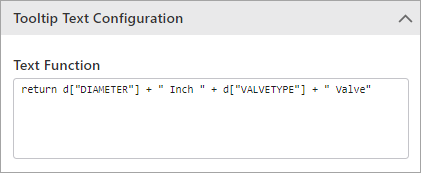
There are many ways to use Arcade scripts when configuring band and charts. For example, you could write a function that:
▪Includes feature attribute data or values in the chart tooltip text.
▪Sets the chart symbol color, size, shape, and/or border color and width based on the feature attribute data.
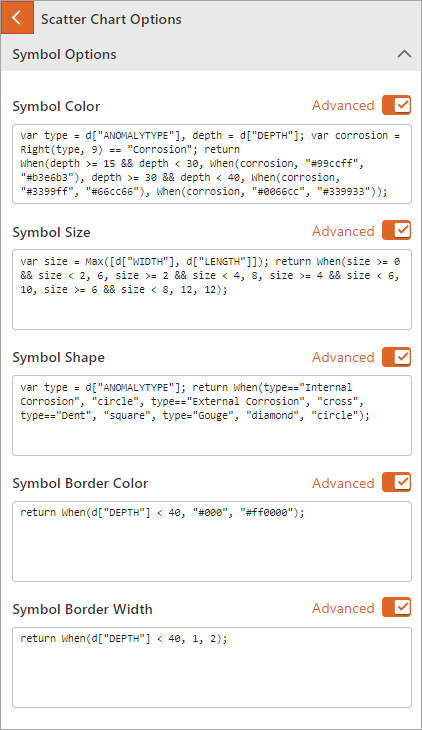
If you configure style rules, these will override any advanced functions configured to set the display of the chart. See Style Rules.
