Bands are horizontal or vertical sections in a report. For information about bands, see Bands.
This topic describes how to perform the following actions:
For more information on how to configure specific band properties, see the Band Reference.
Add a Band
To add a band, select the report, open the Print Template Explorer and expand efaultstyle="true" type="topiclink" href="band-reference" styleclass="mcxref.xref" style="font-family:'Times New Roman'; font-size:12pt; font-weight:normal; font-style:normal; text-decoration:underline; text-transform:none; vertical-align:baseline; color:#000000; background-color:transparent; letter-spacing:normal; letter-scaling:100%;">Band Reference.
When a band is empty ( contains no controls or content), it is omitted from the report output.
Select a Band
Use any of the following methods to select a band:
▪Select the band using the in the Properties panel  .
.
▪Select the band in Report Explorer  .
.
▪Select the band in the Layout.
Collapse and Expand Bands
You can collapse bands in Report Designer so they take up less space.
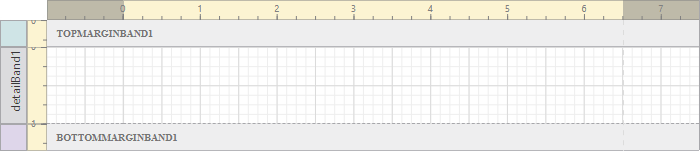
Top Margin and Bottom Margin bands collapsed in Report Designer
To collapse a band, click the band twice. Click again to expand the band.
Delete a Band
Use either of the following methods to delete a band:
▪Select the band and press Delete on your keyboard
▪Select the band and click Delete  in the Report Explorer.
Deleting a band deletes the controls in the band.
