Description
The Sub-Report control allows you to embed content from one report (child) in another report (parent). Sub-report controls are used to return data from large related datasets. These datasets may be from a separate data source or from a second query on the same data source as the master report.
The Sub-Report control is recommended for use with large related data because it can use a filtered query. An alternative approach would be to use a master-detail relationship with related data that is displayed using a Detail Report band. However, in this case, VertiGIS Studio Reporting queries every feature in the related table. When the detail table is large, the query may perform slowly or stop. For this reason, it is recommended to use a sub-report.
To learn more about how to configure a sub-report with related data, see Include Related Data in a Report.
The configuration of the sub-report can be accessed by double-clicking the Sub-Report control. Doing so will reveal a blank report template. You can navigate back to the parent report by clicking on the back chevron in the top left corner of the designer toolbar.
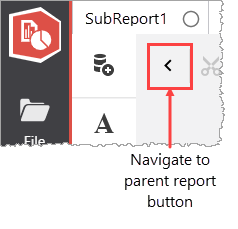
The Navigate to parent report button
When you use a master-detail relationship with related data that is accessed using a Detail Report band, VertiGIS Studio Reporting queries every feature in the related table. When the detail table is large, the query may perform slowly or stop. For this reason, it is recommended to use a sub-report.
Properties Common to Most Controls
For more information about the properties listed below, see Properties Common to Most Controls.
▪Actions: Align to Grid, Size to Grid, Center Horizontally, Center Vertically, Bring to Front, Send to Back, Fit Bounds to Container
▪>Styles: Even Style, Odd Style, Style
▪>Appearance: Background Color, Border Color, Border Dash Style, Border Width, Borders, Font Name, Font Size, Font Unit, Font Effects, Foreground Color, Padding
▪>Behavior: Can Publish, Keep Together, Visible
▪>Data: Tag
▪>Design: Name
▪>Layout: Location, Size
▪>Navigation: Bookmark, Parent Bookmark, Navigation URL
For more information regarding each of the property groups, see the Control Reference.
Behavior
Can Shrink |
Type: Boolean Sets whether the control's height can decrease if the contents do not completely fill the control at runtime. If there are other controls below the current control, they will be moved up to remove the unused space. |
Generate Own Pages |
Sets whether the referenced report is printed on separate pages and uses its own page settings. |
Data
Parameter Bindings |
This property defines how the sub-report parameter receives data from the parent report. A parameter binding contains two parts: ▪Parameter Name: Defines the name of the parameter created in the sub-report. ▪Binding: The table value in the parent report that will populate the sub-report's parameter. |
Related Tutorials
Refer to the following resources for additional help on implementing this control:
▪Include Related Data in a Report
▪Tech Tip: Generating a report with sub reports from external data sources
