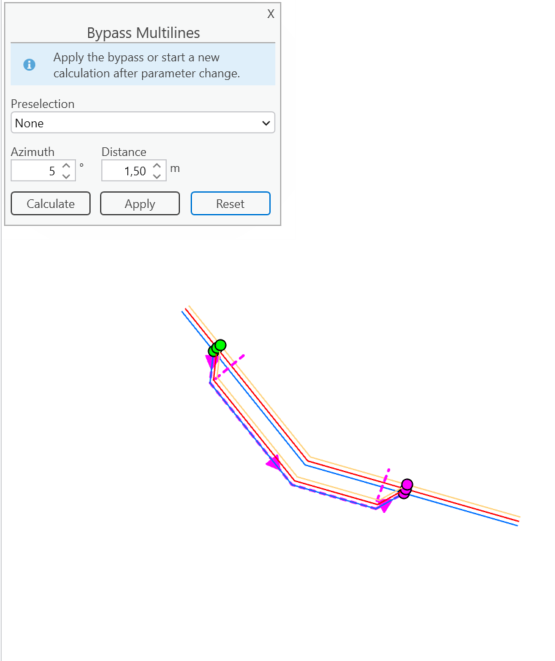
Use the Bypass Multilines tool to modify the path of existing multilines by modifying their geometry.
For example, when parallel network lines are modeled as a multiline feature, the multiline can be rerouted around a newly added asset.
To bypass multilines:
1.Draw a first cut line to define the start of the bypass, the direction of the reference line, and the line features involved.
•You can refine the selection of line features using the settings.
•An angle threshold defines the limit within which lines are considered parallel; only parallel lines are included in the selection.
2.Draw a second cut line to define the end of the bypass.
This line must follow the direction of the reference line.
The new line path is calculated and previewed on the map.
3.Adjust the bypass Distance as needed. The preview updates immediately to reflect the recalculation.
4.Click Apply to update the features with the new geometry.