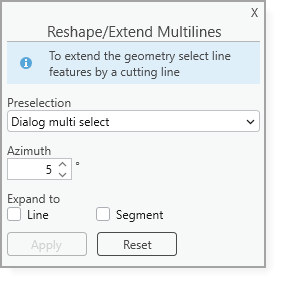
With the Reshape/Extend Multilines tool, you can reshape the existing geometry or extend selected line features in a defined direction while preserving the relative alignment.
To reshape or extend multilines:
1.Select one or more multiline features to edit.
2.Specify the selection method using Preselection.
3.Set the Azimuth value to control the direction used for extending the geometry.
4.Optionally choose how the geometry is expanded using Expand to.
5.Draw a cutt line to reshape or extend the selected multiline features.
6.Click Apply to update the geometry.