Existing style families can be edited, but only within limits. Properties that affect the size or positioning of dimension text cannot be changed; allowing this could otherwise irreparably corrupt dimension features that already exist using that style.
To edit a style family:
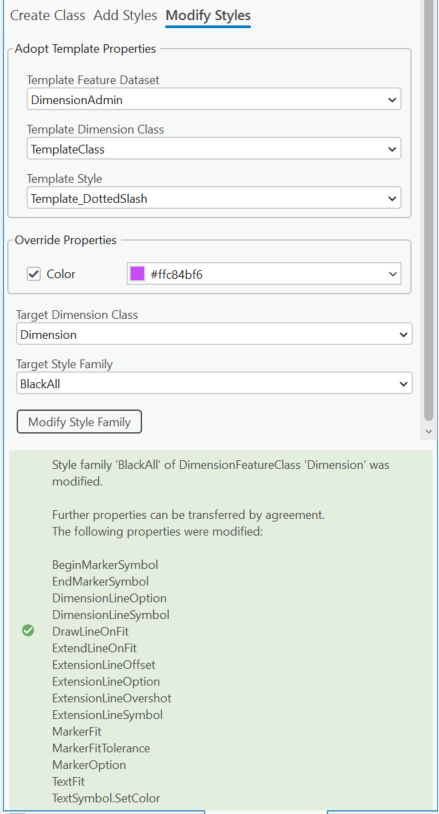
1.Open the Dimensioning Admin tool and select the Modify Styles tab.
2.Select the Template Feature Dataset, Template Dimension Class, and Template Style that contain the properties you want to apply.
3.Under Override Properties, select the properties you want to copy from the template style.
4.Select the Target Dimension Class and Target Style Family you want to modify.
5.Click Modify Style Family.
The selected properties from the template style are applied to the corresponding styles in the target style family. Properties that could affect the size or position of existing dimension text are not available for modification.