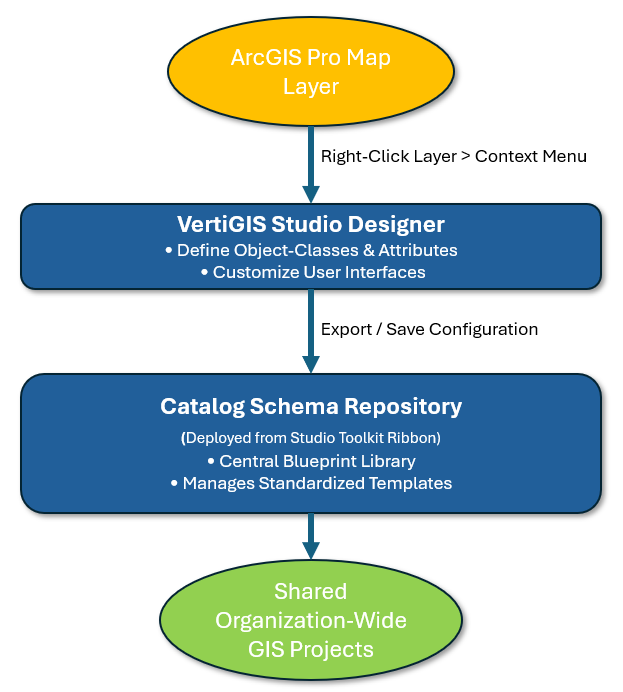
VertiGIS Studio Desktop provides a unified framework within ArcGIS Pro to customize data layers and standardize your geographic database. This system consists of two closely linked components that allow administrators to design user experiences and save those designs for organization-wide deployment:
•VertiGIS Studio Designer: A visual tool accessed directly from the Table of Contents (TOC) context menu. It allows administrators to define user interfaces, attribute rules, and the logical structures of map layers and tables.
•Catalog Schema Repository: A centralized storage library accessed via the Studio Toolkit ribbon. It acts as a master registry where these custom configurations are saved, tracked, and shared.
Together, these tools create a seamless pipeline. Administrators use the Designer to build or modify custom data extensions, and then use the Catalog Schema Repository to store and distribute those structural blueprints. This integration ensures that every user in your organization deploys identical, validated data templates across all GIS projects.