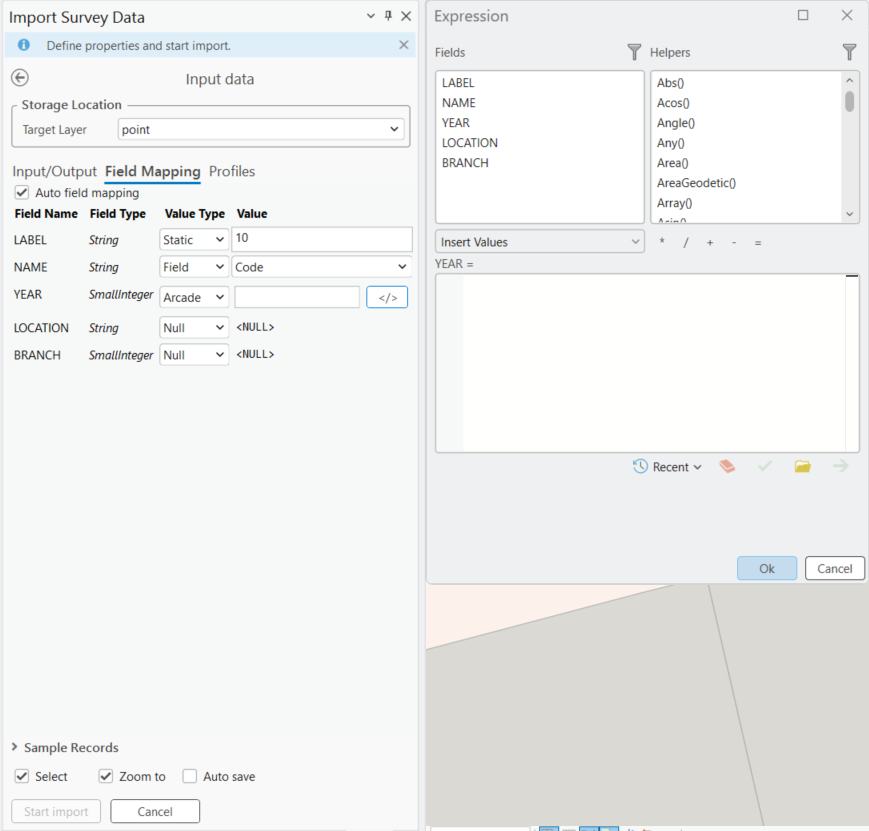
Field mapping determines which fields in the input records are written to the corresponding fields in the target dataset. When creating a new table, a one-to-one field mapping is configured automatically. When importing into an existing table, review the field mapping and make any necessary adjustments to ensure the data is imported correctly.
Import into a New Feature Class
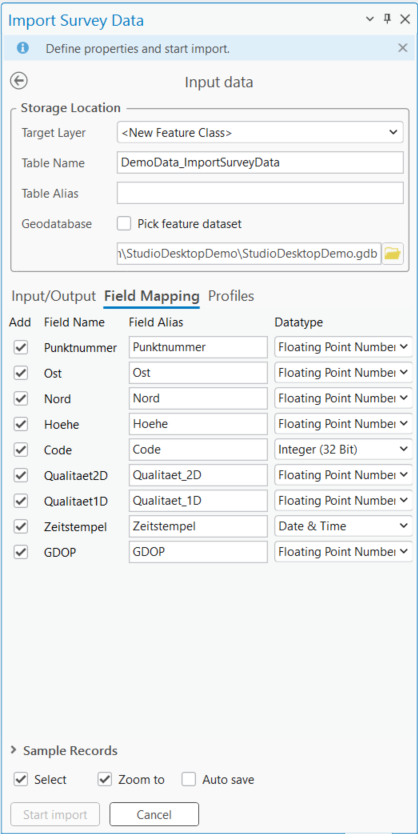
If you create a new feature class, field mapping is not required because all fields from the import file are created automatically in the target feature class.
Review the field data types to ensure they are compatible with the target database.
Import into an Existing Feature Class
When importing into an existing table, assign a value to each target field. The value can come from a field in the import file, a constant value, `NULL`, or an Arcade expression.
Ensure that any target field that does not allow `NULL` values is assigned a valid value.