To create a print layout from scratch, use the Blank Page layout. The Blank Page layout has three bands and no controls. It is initially configured for 8.5" x 11" paper in portrait orientation.
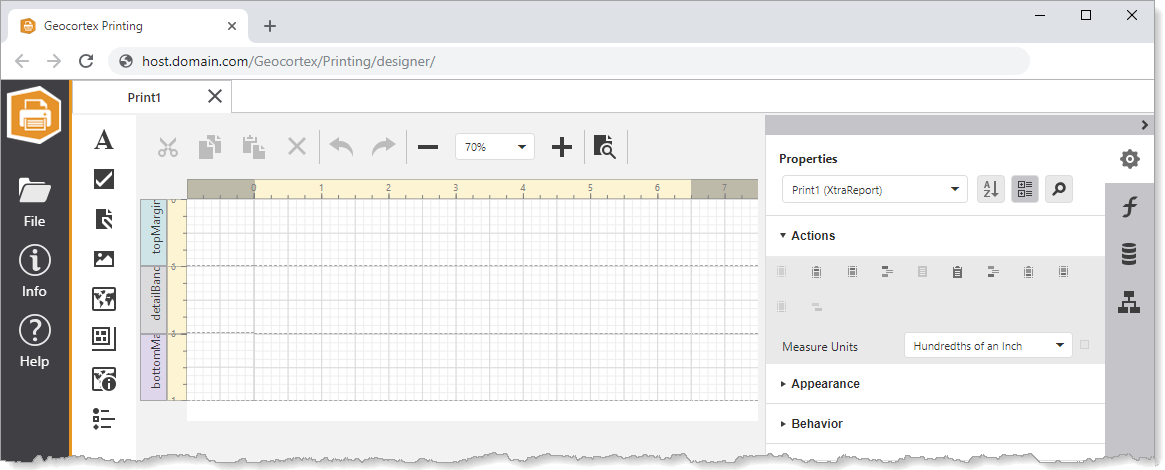
Blank Page layout open in Print Designer
To create a print layout based on the Blank Page layout:
1.In Print Designer, click File > New and double-click Blank Page.
2.Configure layout-wide settings like paper size, page orientation, and margins.
3.If you want, add bands such as the Report Header or Report Footer.
4.Design the layout by adding and configuring controls like the Map, Overview Map, and Legend.
5.Click Preview  to generate the print using a sample map service.
To preview a print, your browser must allow pop-ups from apps.vertigisstudio.com (cloud Printing) or from your domain (on-premises Printing).
6.Refine the layout and re-preview the print until you are satisfied with the layout.
7.Press Ctrl+S to save the print layout.
You can now share the print layout, configure an application to host it, and run the print.
